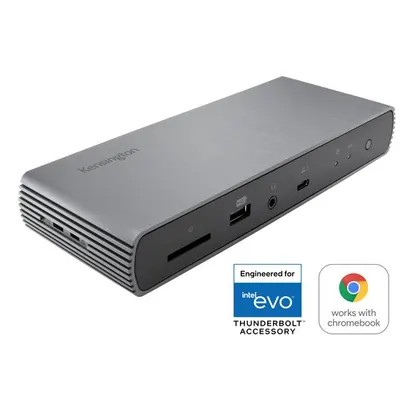
Kensington
Kensington SD5700T
$269.99Cheaper
Released 2021
Best Docking Stations · head-to-head
A sourced, side-by-side comparison. Kensington SD5700T is cheaper at $269.99. Every spec and price links to its source.
Kensington
$269.99Cheaper
Released 2021
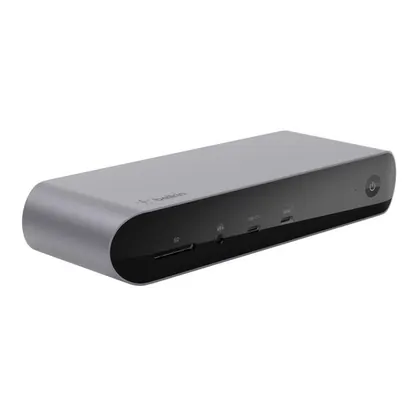
Belkin
$299.99
Released 2022
On the specs we track, they're closely matched. The Kensington SD5700T is the cheaper at $269.99.
As an Amazon Associate we earn from qualifying purchases. Prices verified at capture; live price may differ.
✓ marks the stronger figure where "more" — or "less", for price and weight — is unambiguously better.
| Spec |  Kensington SD5700T Kensington SD5700T |  Belkin Connect Pro Thunderbolt 4 Dock (INC006) Belkin Connect Pro Thunderbolt 4 Dock (INC006) |
|---|---|---|
| US price | $269.99 | $299.99 |
| Brand | Kensington | Belkin |
| Released | 2021 | 2022 |
| Host connection | Thunderbolt 4 | Thunderbolt 4 |
| Total ports | 11 | 12 |
| Power delivery (W) | 90 | 90 |
| Max external displays | 2 | 3 |
| Ethernet | GbE | GbE |
| Sd card reader | Yes | Yes |
| Release | 2021 | 2022 |
Sources — Kensington SD5700T: kensington.com (verified 2026-11-05). Belkin Connect Pro Thunderbolt 4 Dock (INC006): belkin.com (verified 2026-11-05).
Where the two actually differ on the specs we track (2 of 6). Matching specs are omitted.
Sourced tester consensus for each — the "what people who used it think" layer, not just specs.
Only one whitelisted source, PCWorld, covers the SD5700T, and it is an adapted re-publish of Simon Jary's TechAdvisor review rather than an independent second lab test. PCWorld calls it a quality, sturdily-built Thunderbolt 4 dock with 11 ports and 90W laptop charging, but faults the lack of dedicated HDMI/DisplayPort outputs, the weak 4.5W USB-A ports, and the high price. No hands-on benchmarks were published. (1 sourced review.)
Praised: Sturdy, quality build with a solid mix of legacy I/O (11 ports); 90W laptop charging, enough to charge most laptops.
Flagged: No dedicated HDMI/DisplayPort outputs; requires USB-C adapters; Weak 4.5W USB-A ports; Expensive for a Thunderbolt 4 dock.
Two whitelisted outlets reviewed this dock. Tom's Guide covered it as the 'Belkin Connect Pro Thunderbolt 4 Dock' (INC006); TechRadar covered it under Belkin's alternate 'Thunderbolt 4 Dock Pro' name, but the specs match the same hardware (dual HDMI, single downstream Thunderbolt 4, 90W, 12 ports, Gigabit Ethernet, same 200x73x33.9mm chassis). Both call it a sleek, well-built Thunderbolt 4 dock that's overpriced, hobbled by a single downstream Thunderbolt port, dual HDMI that Macs can't fully use, and only 90W charging. (2 sourced reviews, 1 lab-tested.)
Praised: Sleek, premium aluminum build that looks great on a desk; Extensive 12-port connectivity including dual HDMI for Windows; 90W laptop charging (physically verified on Tom's Guide wattage tester).
Flagged: Only one downstream Thunderbolt 4 port, limiting high-speed peripherals; Overpriced for the feature set; Dual HDMI unusable together on Macs (no MST/DisplayLink workaround).