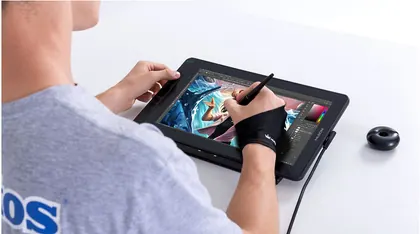
Huion
Huion Kamvas 13 (Gen 3)
$209Cheaper
Released 2024-08
Best Drawing Tablets · head-to-head
A sourced, side-by-side comparison. Huion Kamvas 13 (Gen 3) is cheaper at $209. Every spec and price links to its source.
Huion
$209Cheaper
Released 2024-08
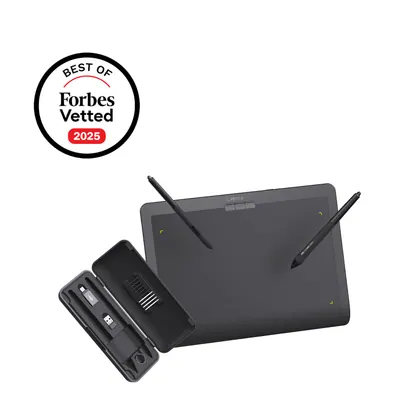
Xencelabs
$224.99
Released 2025
On the specs we track, they're closely matched. The Huion Kamvas 13 (Gen 3) is the cheaper at $209.
As an Amazon Associate we earn from qualifying purchases. Prices verified at capture; live price may differ.
✓ marks the stronger figure where "more" — or "less", for price and weight — is unambiguously better.
| Spec |  Huion Kamvas 13 (Gen 3) Huion Kamvas 13 (Gen 3) |  Xencelabs Pen Tablet Medium Xencelabs Pen Tablet Medium |
|---|---|---|
| US price | $209 | $224.99 |
| Brand | Huion | Xencelabs |
| Released | 2024-08 | 2025 |
| Form | pen_display | pen_tablet |
| Active area (in) | 11.6 x 6.5 | 10.3 x 5.8 |
| Display resolution | 1920 x 1080 | — |
| Pressure levels | 16384 | 8192 |
| Tilt support | Yes | Yes |
| Wireless | No | Yes |
| Express keys | 5 | 0 |
| Release year | 2024 | 2025 |
Sources — Huion Kamvas 13 (Gen 3): store.huion.com (verified 2026-10-10). Xencelabs Pen Tablet Medium: xencelabs.com (verified 2026-11-05).
Where the two actually differ on the specs we track (5 of 7). Matching specs are omitted.
Sourced tester consensus for each — the "what people who used it think" layer, not just specs.
Only one whitelisted tester, TechPowerUp, published a genuine hands-on look at the exact Kamvas 13 (Gen 3); it is a qualitative 'Quick Look' with no lab measurements. It praises the new anti-glare glass and slimmer, more accurate pen, calls the ST300 stand near-essential, but wants per-app shortcut profiles. Non-whitelisted artist blogs and news posts were excluded. (1 sourced review.)
Praised: New 2nd-gen anti-glare etched glass — best matte+glossy screen the reviewer had used; Slimmer, more sensitive and accurate battery-free pen with a 0.35 mm screen-to-tip gap; ST300 folding stand feels sturdy and is effectively a must-have accessory.
Flagged: Driver software lacks per-application shortcut profiles; Plastic (non-aluminium) chassis instead of the Pro line's metal build; Non-Pro panel limits: 220-nit brightness, 1000:1 contrast, 1080p at 60 Hz.
No sourced tester review yet.