Creality
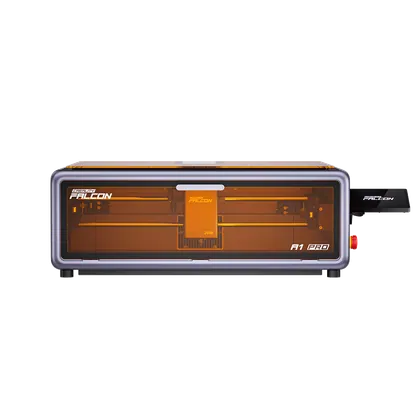
Creality Falcon A1 Pro 20W
$1099
Released 2025
Best Laser Engravers · head-to-head
A sourced, side-by-side comparison. ORTUR Laser Master 3 LE is cheaper at $399. Every spec and price links to its source.
Creality
$1099
Released 2025
ORTUR
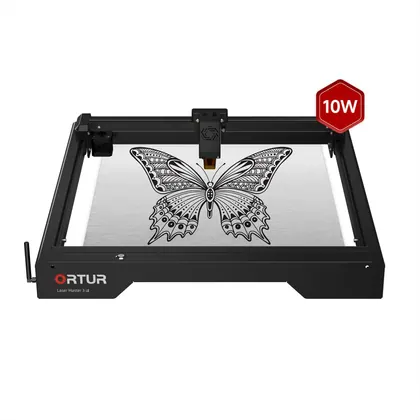
$399Cheaper
2 sellers$299under listread
Released 2023
The ORTUR Laser Master 3 LE wins 1 of the 1 specs we compare head to head; the other wins 0. The ORTUR Laser Master 3 LE is the cheaper at $399. The ORTUR Laser Master 3 LE both leads on specs and costs less — the straightforward pick.
As an Amazon Associate we earn from qualifying purchases. Prices verified at capture; live price may differ.
✓ marks the stronger figure where "more" — or "less", for price and weight — is unambiguously better.
| Spec |  Creality Falcon A1 Pro 20W Creality Falcon A1 Pro 20W |  ORTUR Laser Master 3 LE ORTUR Laser Master 3 LE |
|---|---|---|
| US price | $1099 | $399 |
| Brand | Creality | ORTUR |
| Released | 2025 | 2023 |
| Laser type | diode | diode |
| Power (W) | 20 | 10 |
| Wavelength (nm) | 455 | 445 |
| Work area (mm) | 268×358 | 400×400 |
| Max speed (mm/s) | 600 | 333 |
| Min engraving accuracy (mm) | 0.05 | 0.01 |
| Connectivity options | Wi-Fi, USB | Wi-Fi, USB |
| Software compatibility | Falcon Design Space, LightBurn, LaserGRBL | LightBurn, LaserGRBL, Laser Explorer App |
| Enclosed design | Yes | No |
| Weight (kg) | 16.8 | 6.5 |
| Material compatibility | wood, acrylic, leather, metal, glass, stone, fabric | wood, paper, cardboard, metal, leather, acrylic |
| Autofocus | Yes | No |
Sources — Creality Falcon A1 Pro 20W: crealityfalcon.com (verified 2026-10-19). ORTUR Laser Master 3 LE: orturlaser.com (verified 2026-06-26).
Where the two actually differ on the specs we track (10 of 12). Matching specs are omitted.
Sourced tester consensus for each — the "what people who used it think" layer, not just specs.
Two whitelisted hands-on testers (Tom's Hardware, TechRadar) reviewed this exact 20W model; both recommend it as a polished sub-$1,000 enclosed prosumer engraver with fast, precise cuts and reliable auto-focus. Both flag the fixed, fragile-feeling LCD screen; TechRadar cites limited material height (~4cm) and Tom's Hardware a too-weak bundled smoke purifier and missing safety goggles. Retailer, forum and blog reviews excluded. (2 sourced reviews, 2 lab-tested.)
Praised: Sharp, precise, detailed cuts and engraves across materials; Automatic focus/calibration works reliably with no manual intervention; Fully enclosed design with genuine safety features (E-stop, flame sensor).
Flagged: Fixed side-mounted LCD screen feels like an afterthought and gets knocked; Limited material height (~4cm) restricts what you can engrave; Bundled Desktop Smoke Purifier overwhelmed by cutting fumes / weak exhaust.
No sourced tester review yet.