Keychron
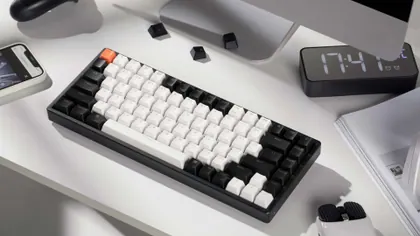
Keychron K2 Wireless Mechanical Keyboard (Version 2)
$84.99Cheaper
Released 2021
Best Mechanical Keyboards · head-to-head
A sourced, side-by-side comparison. Keychron K2 Wireless Mechanical Keyboard (Version 2) is cheaper at $84.99. Every spec and price links to its source.
Keychron
$84.99Cheaper
Released 2021
Logitech G
$219.99
Released 2022
On the specs we track, they're closely matched. The Keychron K2 Wireless Mechanical Keyboard (Version 2) is the cheaper at $84.99.
As an Amazon Associate we earn from qualifying purchases. Prices verified at capture; live price may differ.
✓ marks the stronger figure where "more" — or "less", for price and weight — is unambiguously better.
| Spec |  Keychron K2 Wireless Mechanical Keyboard (Version 2) Keychron K2 Wireless Mechanical Keyboard (Version 2) |  Logitech G PRO X TKL LIGHTSPEED Wireless Gaming Keyboard Logitech G PRO X TKL LIGHTSPEED Wireless Gaming Keyboard |
|---|---|---|
| US price | $84.99 | $219.99 |
| Brand | Keychron | Logitech G |
| Released | 2021 | 2022 |
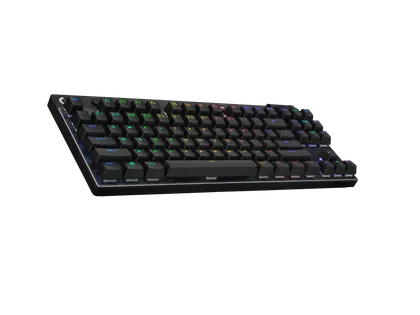
| Layout | 75% | 80% TKL |
| Key count | 84 | 87 |
| Switch type | Gateron G Pro (MX-compatible, 3-5 pin) | Logitech GX (Linear / Tactile / Clicky options, MX-compatible) |
| Hot swappable | Yes | No |
| Connectivity | Bluetooth 3.0 / USB-C wired | LIGHTSPEED 2.4GHz wireless / Bluetooth / USB-C wired |
| Backlight | White LED or RGB | LIGHTSYNC RGB (per-key) |
| Knob | No | No |
| Build material | ABS plastic (standard) or aluminum-frame option | Aluminum top plate, polycarbonate frame |
| Wireless | Yes | Yes |
| Release year | 2021 | 2022 |
Sources — Keychron K2 Wireless Mechanical Keyboard (Version 2): keychron.com (verified 2026-06-15). Logitech G PRO X TKL LIGHTSPEED Wireless Gaming Keyboard: logitechg.com (verified 2026-11-05).
Where the two actually differ on the specs we track (7 of 9). Matching specs are omitted.
Sourced tester consensus for each — the "what people who used it think" layer, not just specs.
No sourced tester review yet.
Two whitelisted testers cover this exact 2023 wireless model. Reviewed ran sustained hands-on testing and calls it likely Logitech's best gaming keyboard to date — top-notch Lightspeed wireless, upgraded doubleshot PBT keycaps, smooth Kailh switches, and polished G Hub software — but dings the so-so 50-hour battery, the absent hot-swap switches at ~$200, and a rattly spacebar. Engadget agrees it's built well but too pricey. (2 sourced reviews, 1 lab-tested.)
Praised: Well-built, solid construction with aluminum top plate; Top-notch, wired-like Lightspeed 2.4GHz wireless connectivity; Upgraded doubleshot PBT keycaps and smooth Kailh switches.
Flagged: No hot-swappable switches at a ~$200 price; Overpriced relative to the competition; Middling ~50-hour battery; recharge roughly every 5 days with RGB on.