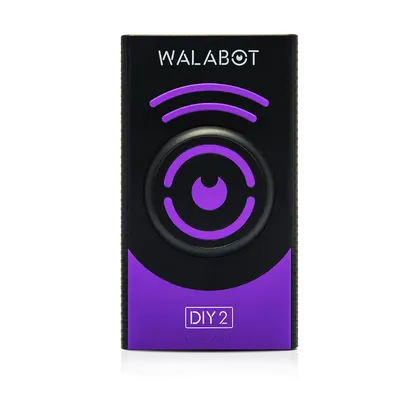
Walabot
Walabot DIY 2 Precision Wall Imaging Stud Finder
$199.95
Best Stud Finders · head-to-head
A sourced, side-by-side comparison. Klein Tools ESF200 Multi-Scan Center and Edge Stud Finder is cheaper at $34.98. Every spec and price links to its source.
Walabot
$199.95
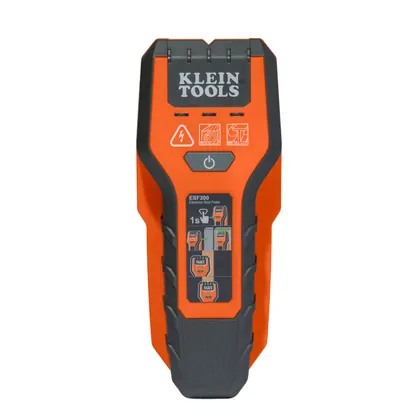
Klein Tools
$34.98Cheaper
On the specs we track, they're closely matched. The Klein Tools ESF200 Multi-Scan Center and Edge Stud Finder is the cheaper at $34.98.
As an Amazon Associate we earn from qualifying purchases. Prices verified at capture; live price may differ.
✓ marks the stronger figure where "more" — or "less", for price and weight — is unambiguously better.
| Spec |  Walabot DIY 2 Precision Wall Imaging Stud Finder Walabot DIY 2 Precision Wall Imaging Stud Finder |  Klein Tools ESF200 Multi-Scan Center and Edge Stud Finder Klein Tools ESF200 Multi-Scan Center and Edge Stud Finder |
|---|---|---|
| US price | $199.95 | $34.98 |
| Brand | Walabot | Klein Tools |
| Released | — | — |
| Max scan depth (in) | 4 | 2 |
| Sensing technology | RF/radar-based wall imaging (Walabot proprietary sensor array) with smartphone app | electronic capacitance sensing with LED indicators |
| Detects wood metal live wire | wood studs, metal studs, live and non-live wires, pipes, and movement/pests | wood (to 0.75 in.), metal (to 1.5 in.), live AC voltage (to 2 in.) |
| Sensor array width (in) | — | — |
| Center vs edge find | full 2D image of wall cavity contents (Image Mode and raw-data Expert Mode) rather than single-point center/edge indication | center and edge find ("Multi-Scan" full-width detection) |
| Display type | smartphone app display (iOS/Android) via built-in Wi-Fi, Image Mode and Expert Mode heat-map views | LED indicators |
| Calibration method | not specified by manufacturer beyond standard app pairing/placement instructions | automatic calibration; no manual adjustment required |
| Power source | built-in rechargeable battery (USB-C charging) | 2x AAA alkaline batteries (included) |
Sources — Walabot DIY 2 Precision Wall Imaging Stud Finder: walabot.com (verified 2026-11-05). Klein Tools ESF200 Multi-Scan Center and Edge Stud Finder: kleintools.com (verified 2026-08-05).
Where the two actually differ on the specs we track (7 of 8). Matching specs are omitted.