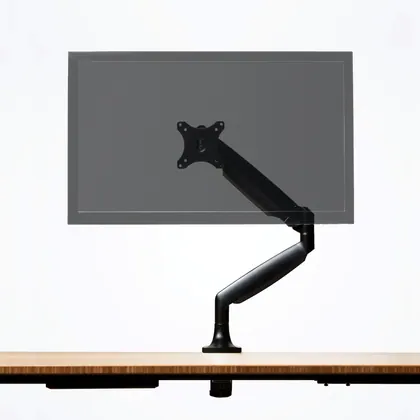
Fully (Herman Miller)
Fully Jarvis Single Monitor Arm
$175Cheaper
Best Monitor Arms · head-to-head
A sourced, side-by-side comparison. Fully Jarvis Single Monitor Arm is cheaper at $175. Every spec and price links to its source.
Fully (Herman Miller)
$175Cheaper
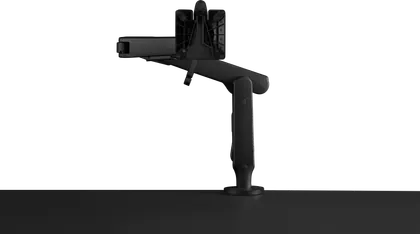
Herman Miller
$305
The Fully Jarvis Single Monitor Arm wins 1 of the 1 specs we compare head to head; the other wins 0. The Fully Jarvis Single Monitor Arm is the cheaper at $175. The Fully Jarvis Single Monitor Arm both leads on specs and costs less — the straightforward pick.
As an Amazon Associate we earn from qualifying purchases. Prices verified at capture; live price may differ.
✓ marks the stronger figure where "more" — or "less", for price and weight — is unambiguously better.
| Spec |  Fully Jarvis Single Monitor Arm Fully Jarvis Single Monitor Arm |  Herman Miller Ollin Gaming Monitor Arm Herman Miller Ollin Gaming Monitor Arm |
|---|---|---|
| US price | $175 | $305 |
| Brand | Fully (Herman Miller) | Herman Miller |
| Released | — | — |
| Mount type | clamp/grommet | clamp |
| Monitors supported | 1 | 1 |
| Max screen size (in) | 32 | 32 |
| Max weight per arm (lb) | 19 | 20 |
| Vesa pattern | 75x75mm, 100x100mm | 75x75mm, 100x100mm |
| Height adjustment (in) | 13.2 in | 13.5 in |
| Full motion | Yes | Yes |
| Mechanism | gas_spring | mechanical |
Sources — Fully Jarvis Single Monitor Arm: store.hermanmiller.com (verified 2026-06-20). Herman Miller Ollin Gaming Monitor Arm: store.hermanmiller.com (verified 2026-06-20).
Where the two actually differ on the specs we track (4 of 8). Matching specs are omitted.
Sourced tester consensus for each — the "what people who used it think" layer, not just specs.
Only one whitelisted tester, Wirecutter, hands-on reviewed this arm (now sold as the Herman Miller Jarvis after Fully was folded into Herman Miller) and names it their top monitor-arm pick after assessing 25 models. They praise its smooth, wide range of motion, sturdiness, and slimmest-in-test base, but flag noticeable wobble when extended, fiddly cheap-feeling cable management, and a setup that is not the easiest and hard to do solo. (1 sourced review, 1 lab-tested.)
Praised: Smoothest and widest range of motion in the test group; Sturdy build with the slimmest base of any arm tested; Easy to adjust plus a long warranty.
Flagged: Monitor wobbles when extended far forward or to the side; Decent but fiddly, cheap-feeling cable management; Not the easiest to set up, and hard to do solo.
One verified hands-on source: Digital Foundry (Eurogamer), which tested the £175 Ollin for five months as part of the three-piece Herman Miller x Logitech G set alongside the Embody Gaming chair and Nevi desk. It reports effortless movement and great stability, a roughly ten-minute install, and premium-looking metal construction, while noting the arm reaches less far than some rivals and sits at the expensive end of the market. No other whitelisted outlet was verified as having reviewed this exact model, so treat this as a single-source picture rather than a consensus. (1 sourced review, 1 lab-tested.)
Praised: Effortless, stable movement — even relatively thick, heavy 27-inch monitors stay exactly where they are left; Metal construction and matte black paint job look the part and match the rest of the Herman Miller x Logitech G set; Install takes around ten minutes; good cable management and a weight-resistance dial.
Flagged: Extends less far from the base than some rival arms, limiting left-to-right positioning — though the reviewer judged the reach more than sufficient for his own desk; Premium pricing; the reviewer states good-value alternatives exist across the whole Herman Miller x Logitech G range.